You’ve just bought a domain name—congratulations! But now your hosting provider is asking for “DNS records” and your email service wants you to “add a TXT record for verification.”
Suddenly, you’re staring at a control panel filled with acronyms that look like alphabet soup: A, CNAME, MX, TXT, NS, SOA, PTR…
Here’s the truth: You only need to understand four of them.
Ninety percent of what you’ll ever do with DNS revolves around A, CNAME, MX, and TXT records. Master these four, and you can launch websites, configure email, verify domain ownership, and troubleshoot like a pro.
Let me walk you through each one—with real-world examples you’ll actually use.
Part 1: What Is a DNS Record? (The 30-Second Refresher)
Before we dive into types, let’s establish the foundation.
The Domain Name System (DNS) is the phonebook of the internet. When you type google.com into your browser, DNS translates that human-friendly name into a machine-friendly IP address like 142.250.190.46.
A DNS record is a single entry in that phonebook. It tells the internet: “For this domain, here’s the specific information you need—whether it’s an IP address, a mail server, or a verification code.”
Every record has three components:
- Name: The domain or subdomain (e.g.,
blog.yoursite.com) - Type: The record kind (A, CNAME, MX, TXT)
- Value: The destination or data (e.g.,
192.0.2.1or"v=spf1...")
Now, let’s meet the four record types you’ll actually use.
Part 2: A Record (Address Record) — The Foundation
What It Does
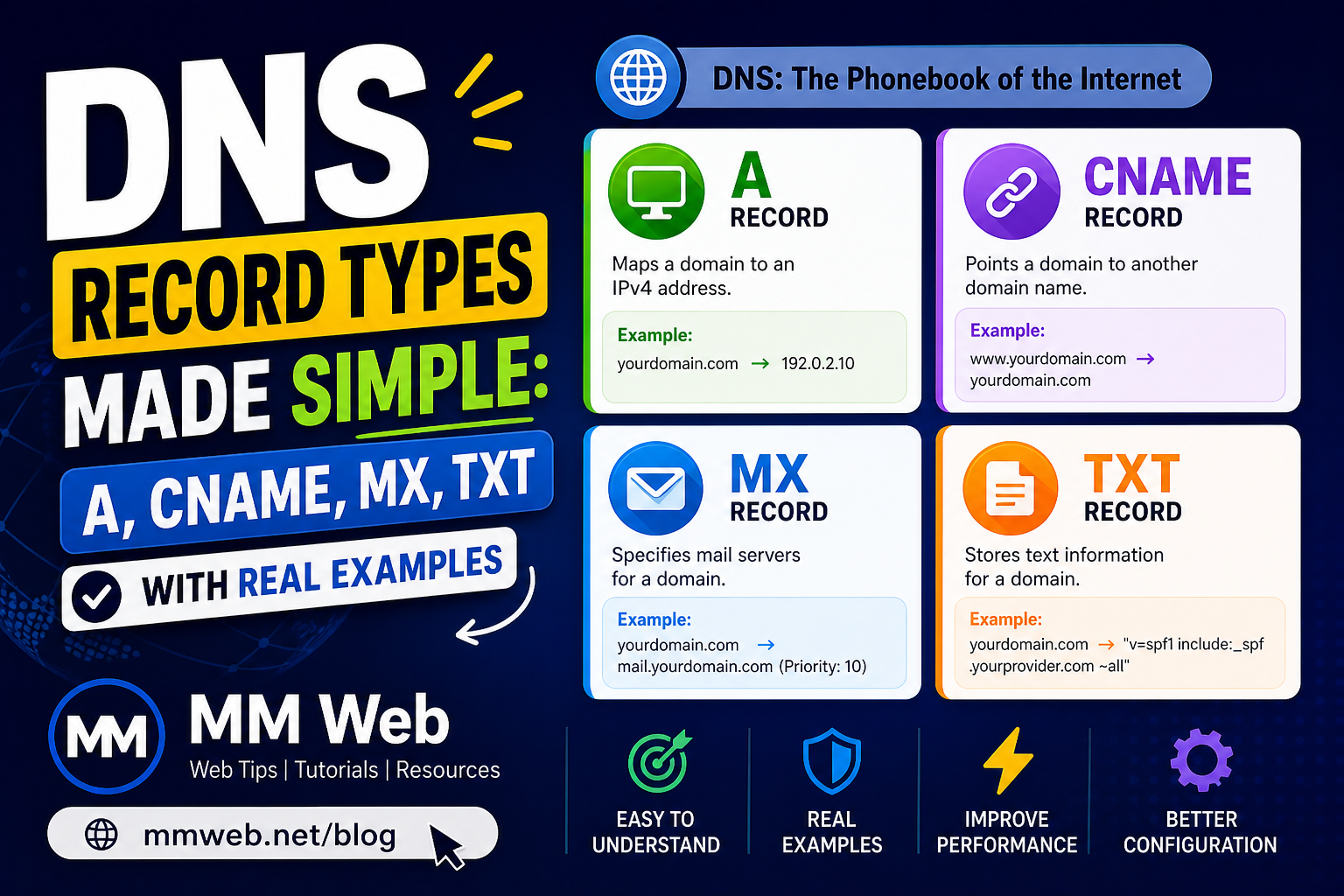
The A Record (Address Record) is the most fundamental DNS record. It maps a domain name directly to an IPv4 address—those four-number sequences like 192.168.1.1.
When someone visits yourdomain.com, the A record tells their browser exactly which server IP to connect to.
Where IPv6 Fits (AAAA Records)
For IPv6 addresses (the newer, longer format like 2001:0db8:85a3::8a2e:0370:7334), you use an AAAA Record (Quad-A). Same concept, different address format.
Real-World Example
Let’s say you’re hosting a website on a VPS with IP address 203.0.113.45. Your A record would look like this:
| Name | Type | Value | TTL |
|---|---|---|---|
yourdomain.com | A | 203.0.113.45 | 3600 |
www.yourdomain.com | A | 203.0.113.45 | 3600 |
What this accomplishes:
- Visitors to
yourdomain.comreach your server. - Visitors to
www.yourdomain.comreach the same server (you’ll need a web server redirect to avoid duplicate content issues).
Common Use Cases
- Pointing a domain to a shared hosting server
- Configuring a VPS or dedicated server
- Setting up a self-hosted application (WordPress, Ghost, custom web app)
Pro Tip
Always set both the root domain (@) and www subdomain as A records pointing to the same IP. Then configure your web server to 301-redirect www to the root (or vice versa). This consolidates SEO authority.
Part 3: CNAME Record (Canonical Name) — The Alias
What It Does
A CNAME Record (Canonical Name) creates an alias. Instead of pointing directly to an IP address, it points one domain name to another domain name.
Think of it as a forwarding address: “Don’t look up my IP directly—go look up this domain first, then follow its A record.”
The Critical Restriction
CNAME records cannot be used at the root domain (yourdomain.com). They only work for subdomains (blog.yourdomain.com). Why? DNS specifications prohibit a CNAME from coexisting with other record types (like MX for email) at the same name.
Real-World Example
You host your blog on a third-party platform like Medium, Ghost(Pro), or Shopify. They give you a target domain like shopify.myshopify.com. Instead of asking for an IP address (which might change), you create a CNAME:
| Name | Type | Value |
|---|---|---|
blog.yourdomain.com | CNAME | shopify.myshopify.com |
What happens when someone visits blog.yourdomain.com:
- The DNS resolver sees a CNAME reference to
shopify.myshopify.com - It looks up the A record for
shopify.myshopify.com - It gets the IP address (say,
23.227.38.32) - The visitor loads your blog from that IP
The visitor never sees the backend complexity. They just see blog.yourdomain.com in their address bar.
Common Use Cases
- Custom domain on SaaS platforms: Pointing
app.yourdomain.comtoyourvendor.saas.com - CDN setup: Pointing
cdn.yourdomain.comtoyourcloudfront.net - A/B testing infrastructure: Pointing
beta.yourdomain.comtobeta.otherdomain.com - Aliasing long hostnames: Pointing
wwwtovery-long-server-name.internal.yourcompany.com
Pro Tip
Never chain CNAME records (pointing a CNAME to another CNAME). It creates resolution loops and performance degradation. Always point CNAMEs directly to A records.
Part 4: MX Record (Mail Exchange) — Email Routing
What It Does
MX Records (Mail Exchange) tell the internet where to deliver email sent to your domain. When someone emails yourname@yourdomain.com, MX records guide that message to the correct mail server (Google Workspace, Microsoft 365, Zoho, or your own server).
The Priority Field
Unlike other records, MX records include a priority number (0–65535). Lower numbers have higher priority. Email servers try the lowest-numbered server first. If it’s unavailable, they move to the next.
Real-World Example (Google Workspace)
You’ve signed up for Google Workspace (formerly G Suite) to handle email for yourdomain.com. Google tells you to add these MX records:
| Priority | Type | Value |
|---|---|---|
| 1 | MX | ASPMX.L.GOOGLE.COM |
| 5 | MX | ALT1.ASPMX.L.GOOGLE.COM |
| 5 | MX | ALT2.ASPMX.L.GOOGLE.COM |
| 10 | MX | ALT3.ASPMX.L.GOOGLE.COM |
| 10 | MX | ALT4.ASPMX.L.GOOGLE.COM |
What this configuration means:
- Priority 1 (highest): Try
ASPMX.L.GOOGLE.COMfirst - Priority 5: If that fails, try the two alt servers
- Priority 10: As a last resort, try the remaining servers
Real-World Example (Microsoft 365)
Microsoft uses a different pattern:
| Priority | Type | Value |
|---|---|---|
| 0 | MX | yourdomain-com.mail.protection.outlook.com |
Common Use Cases
- Google Workspace (Gmail for custom domains)
- Microsoft 365 (Outlook for businesses)
- Zoho, ProtonMail, or any third-party email provider
- Self-hosted email (Postfix, Exim) — not recommended unless you’re a masochist
Critical Warning
Your root domain must have MX records. Without them, email to @yourdomain.com will fail silently. Also, do not set up email on a subdomain like mail.yourdomain.com unless you’ve configured the root MX records correctly.
Pro Tip
After changing MX records, email can take 24–72 hours to fully propagate. Keep your old email service active during this transition to avoid lost messages.
Part 5: TXT Record — The Utility Knife
What It Does
TXT Records hold human-readable text that machines read. Originally designed for arbitrary notes, they’re now essential for verification, security, and anti-spam protocols.
TXT records can hold any text string up to 255 characters per segment (with concatenation for longer values).
Real-World Example 1: Domain Verification
You’re connecting your domain to Google Search Console. Google asks you to verify ownership by adding a TXT record:
| Name | Type | Value |
|---|---|---|
yourdomain.com | TXT | google-site-verification=abc123def456ghi789 |
Google’s system queries DNS, sees that exact string, and confirms you control the domain.
Real-World Example 2: SPF (Sender Policy Framework) — Anti-Spoofing
SPF tells receiving mail servers, “Only these specific servers are allowed to send email from my domain.” This stops spammers from forging your address.
| Name | Type | Value |
|---|---|---|
yourdomain.com | TXT | v=spf1 include:_spf.google.com ~all |
What this means:
v=spf1: Version identifierinclude:_spf.google.com: Allow Google Workspace servers~all: Soft fail for any other server (mark as suspicious but don’t reject)
Real-World Example 3: DKIM (DomainKeys Identified Mail) — Digital Signatures
DKIM adds a cryptographic signature to every outgoing email. Receiving servers verify the signature against your public key (stored in DNS). This proves the email wasn’t tampered with in transit.
| Name | Type | Value |
|---|---|---|
google._domainkey.yourdomain.com | TXT | v=DKIM1; k=rsa; p=MIGfMA0GCSqGSIb3DQEBAQUAA4GNADCBiQKBgQC... |
(The long string is your public key.)
Real-World Example 4: DMARC (Domain-based Message Authentication) — Policy Enforcement
DMARC tells receiving servers what to do when SPF or DKIM fails: do nothing, quarantine, or reject outright. It also provides reporting.
| Name | Type | Value |
|---|---|---|
_dmarc.yourdomain.com | TXT | v=DMARC1; p=quarantine; rua=mailto:reports@yourdomain.com |
What this means:
p=quarantine: Send suspicious emails to spam folderrua=mailto:...: Send aggregate reports to this address
Common Use Cases
- Domain verification (Google, Bing, Facebook, Stripe, Shopify)
- SPF, DKIM, DMARC (email security — absolutely essential)
- Third-party service validation (Salesforce, HubSpot, Mailchimp)
- Human-readable notes (rare today, but possible)
Pro Tip
You can have multiple TXT records for the same name. SPF is the notable exception—you can only have one SPF record per domain, but it can include multiple mechanisms (e.g., include:spf.google.com include:spf.mailgun.com ~all).
Part 6: Quick Reference Chart — When to Use What
| Record Type | Points To | Root Domain OK? | TTL Recommendation | Primary Use |
|---|---|---|---|---|
| A | IPv4 Address | ✅ Yes | 300–3600s | Website hosting, server pointing |
| AAAA | IPv6 Address | ✅ Yes | 300–3600s | Modern IPv6 hosting |
| CNAME | Another domain name | ❌ No (subdomains only) | 3600–86400s | Aliasing to third-party platforms |
| MX | Mail server hostname | ✅ Yes | 3600–86400s | Email delivery routing |
| TXT | Arbitrary text string | ✅ Yes | 3600s | Verification, email security (SPF/DKIM/DMARC) |
Part 7: The Most Common DNS Mistakes (And How to Avoid Them)
Mistake 1: Using a CNAME at the Root
Wrong: yourdomain.com CNAME shopify.myshopify.com (invalid)
Right: Use an A record at the root, or use an ALIAS/ANAME record if your provider supports it (Cloudflare, DNSimple, others).
Mistake 2: Forgetting the Trailing Dot
Many DNS interfaces require a trailing dot for fully qualified domain names:
- Wrong:
google.com - Right:
google.com.(notice the dot at the end)
Most control panels handle this for you now, but be aware when using API configurations.
Mistake 3: Changing MX Records Without Lowering TTL
You triggered an email migration but left TTL at 86,400 seconds. Now half your email goes to the old server for 24 hours.
Fix: Lower TTL to 300 seconds 48 hours before changing MX records. Raise it back after migration completes.
Mistake 4: One SPF Record with Multiple Lookups
You have include:spf.google.com and include:mailgun.com and include:sendgrid.net—that’s three DNS lookups. SPF limits total lookups to 10. Exceed this, and your emails will randomly fail authentication.
Fix: Flatten your SPF record or use a subdomain for bulk senders.
Part 8: How to Look Up Any DNS Record (Troubleshooting Tool)
Before you ask someone “Is it working yet?” learn to check DNS records yourself.
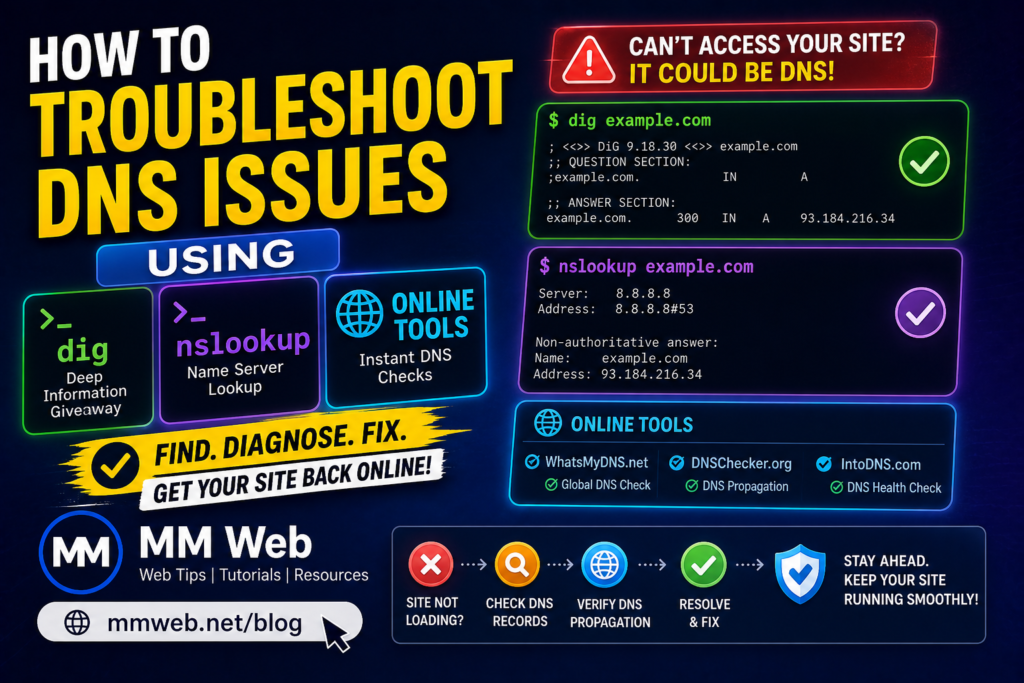
Using dig (Mac/Linux/WSL)
bash
# A record
dig yourdomain.com A

# CNAME record
dig blog.yourdomain.com CNAME

# MX records
dig yourdomain.com MX

# TXT record
dig yourdomain.com TXT

# Query a specific nameserver (bypass local cache)
dig yourdomain.com A @8.8.8.8
Using nslookup (Windows)
cmd
nslookup yourdomain.com
nslookup -type=MX yourdomain.com
nslookup -type=TXT yourdomain.com
Online Tools (Easiest for Beginners)
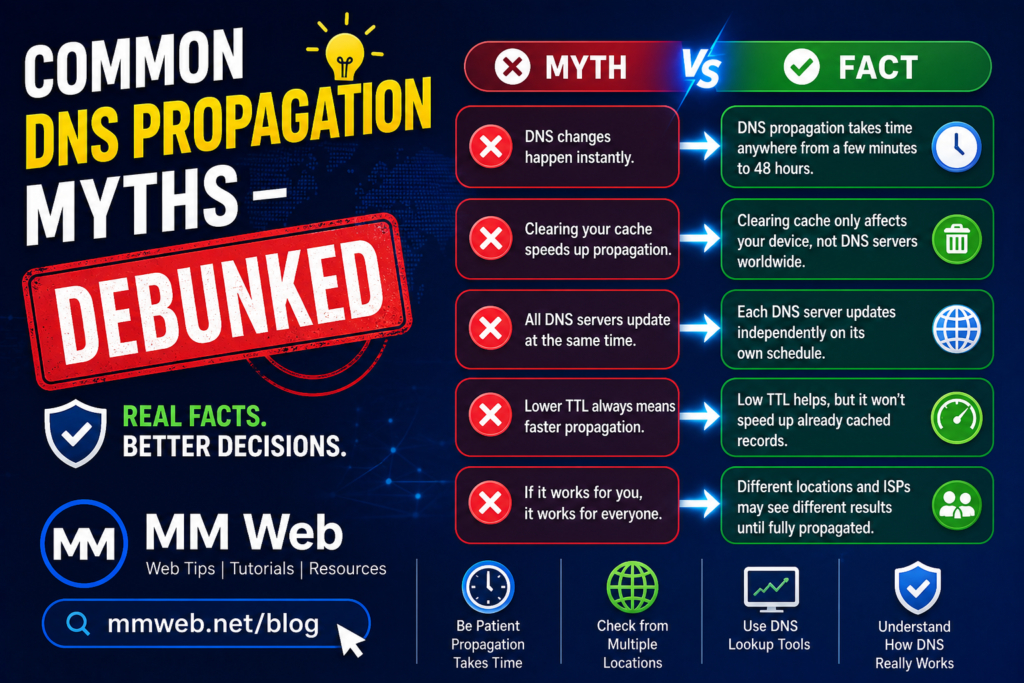
- WhatsMyDNS.net — Check propagation across 20+ global resolvers
- Google Admin Toolbox Dig — Clean web interface for
digcommands - MXToolbox — Comprehensive email-specific diagnostics
Final Summary: The 80/20 Rule of DNS Records
You don’t need to memorize every record type. You just need to internalize this:
- A Record: “My website lives at this IP address.”
- CNAME: “This subdomain is an alias for that domain.”
- MX Record: “Send email for @mydomain to these mail servers.”
- TXT Record: “Here’s verification data or security policies for machines to read.”
Master these four, and you can launch websites, configure email, pass security audits, and troubleshoot 95% of DNS issues you’ll ever encounter.
The other record types (NS, SOA, PTR, SRV, NAPTR) exist—but by the time you need them, you’ll know exactly why.
Which DNS record type has tripped you up in production? Or have a war story about a forgotten trailing dot? Drop it in the comments.