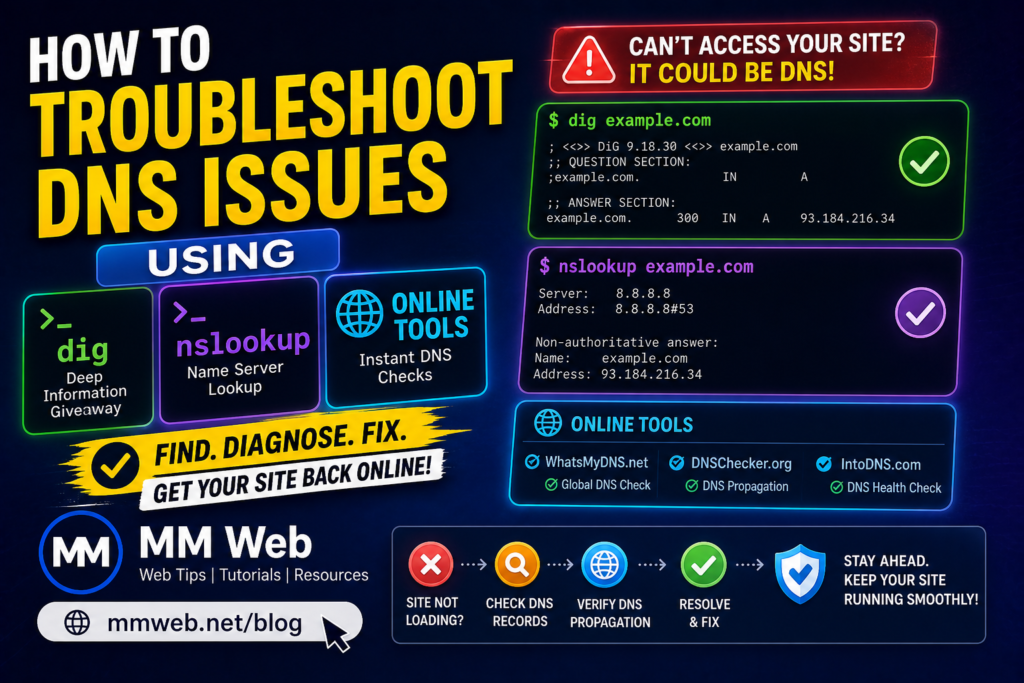
You just changed your domain’s nameservers. You’re excited. You refresh your browser. Nothing.
So you wait. Five minutes. Ten minutes. Still nothing.
You call your hosting provider’s support line. The technician says, “Don’t worry. DNS propagation takes 24 to 48 hours.”
So you wait a full day. You check again. Some friends see your site. Your boss doesn’t. Your phone won’t load it at all.
You’re told to wait another 24 hours. You start questioning your life choices.
Here’s the truth that support technicians rarely tell you: Most of what you’ve heard about DNS propagation is wrong. Misinformed. Outdated. Or flat-out fabricated.
Let me debunk the most persistent DNS propagation myths—so you can stop waiting and start troubleshooting.
Part 1: What DNS Propagation Actually Is (And Isn’t)
Before we debunk myths, let’s define the term correctly.
DNS propagation refers to the time it takes for DNS record changes to spread across all the recursive resolvers on the internet (ISPs, Google DNS, Cloudflare DNS, OpenDNS, etc.).
When you change a DNS record at your authoritative nameserver (your registrar or DNS host), you’re not “pushing” an update to the entire internet. You’re simply updating your own server.
What actually happens: Each recursive resolver (e.g., your ISP’s DNS server, 8.8.8.8, 1.1.1.1) asks for your domain’s records on its own schedule—specifically, when its cached copy expires based on your TTL (Time-to-Live) value.
The key insight: Propagation isn’t a broadcast. It’s millions of independent caches expiring and refreshing at different times.
Now that we understand the mechanism, let’s destroy the myths.
Myth #1: “DNS Propagation Always Takes 24–48 Hours”
The Myth
Every DNS change requires a full 24 to 48 hours to complete. You can’t do anything to speed it up. Just wait.
The Reality
This is the most harmful myth in DNS management. It’s based on outdated internet infrastructure from the 1990s and early 2000s.
Modern DNS propagation times are drastically shorter:
| Record Type | Typical Propagation | Maximum Possible |
|---|---|---|
| A/AAAA record changes (low TTL) | 5–15 minutes | 1 hour |
| Nameserver changes | 15–60 minutes | 24 hours (rare) |
| New domain registration | 1–4 hours | 24 hours |
Why the myth persists: Many hosting providers still set default TTLs to 24–48 hours (86,400–172,800 seconds). They also repeat the “24–48 hours” line to manage customer expectations and reduce support tickets.
The truth: If your TTL was set to 300 seconds (5 minutes) before your change, propagation completes in under 15 minutes for most resolvers. The 24–48 hour timeline applies only to the worst-case scenario—not the norm.
What You Can Actually Expect (2026 Reality)
- Fastest case (optimized TTL): 5–10 minutes
- Typical case (default TTL 3600s): 1–4 hours
- Slow case (old TTL 86400s): 6–24 hours
- Edge case (stubborn ISP caches): 48 hours (less than 1% of users)
The fix: Always lower your TTL to 300 seconds (5 minutes) at least 48 hours before a planned migration. The “48 hours” becomes 5 minutes.
Myth #2: “Flushing Your DNS Cache Doesn’t Do Anything”
The Myth
Clearing your local DNS cache is pointless because the problem is at your ISP level.
The Reality
This is dangerously wrong. Flushing your local DNS cache is often the only thing that immediately fixes “I can’t see my new site” problems.
Your computer, phone, and router each maintain their own DNS caches. When you change a DNS record, your devices may continue using their cached (old) records for hours or days.
What flushing actually does:
- Forces your device to query the DNS resolver again (bypassing local cache)
- Does NOT affect your ISP’s cache or global resolvers
- Immediately gives you the latest records if your DNS resolver has already updated
How to Flush by Operating System
| OS | Command |
|---|---|
| Windows | ipconfig /flushdns |
| macOS | sudo dscacheutil -flushcache; sudo killall -HUP mDNSResponder |
| Linux | sudo systemctl restart nscd OR sudo resolvectl flush-caches |
| Chrome | chrome://net-internals/#dns → Clear host cache |
The reality check: Flushing your local cache solves “I see the old site but my friend sees the new one” in 90% of cases. It’s not pointless—it’s essential.
Myth #3: “You Can Speed Up Propagation by Changing DNS Settings Repeatedly”
The Myth
If you’re not seeing your changes, make the same change again. Or switch between nameservers. Or toggle DNS records on and off. This “reminds” the internet to update.
The Reality
This actively makes propagation slower.
Every time you change a DNS record, you reset the TTL clock for that record. Resolvers that fetched the old version right before your second change now have to wait another full TTL cycle.
Analogy: Imagine you mail 1,000 letters inviting people to a party at your old address. Then you realize the address is wrong and send a correction letter. Some people get the correction. Some already left for the old address. Sending a third letter doesn’t help—it just confuses everyone.
The correct behavior:
- Make your DNS change exactly once
- Verify the change at your authoritative nameserver (bypassing all caches)
- Wait one full TTL cycle
- If still not working, troubleshoot—don’t repeat the change
Use this command to verify your authoritative nameserver directly (bypassing caches):
bash
dig yourdomain.com A @ns1.yourregistrar.com
If this shows the correct record, your DNS is configured right. The problem is cache, not configuration.
Myth #4: “All DNS Records Propagate at the Same Speed”
The Myth
Once your domain’s nameservers update, all record types (A, MX, CNAME, TXT) become visible globally at the same time.
The Reality
Different record types propagate at different speeds because they are cached with potentially different TTL values and queried by different resolvers on different schedules.
Real-world example:
- Your A record (website) has TTL = 300 seconds (5 min)
- Your MX record (email) has TTL = 86400 seconds (24 hours)
You change both at the same time. Your website updates in 10 minutes. Your email takes 24 hours. This is normal and expected.
Even within the same type: Your root domain (@) and www subdomain may have different TTLs, causing them to update at different times.
The fix: Audit the TTL values of every record you’re changing. Lower them all 48 hours in advance, not just the A record.
Myth #5: “DNS Propagation Is Global and Uniform”
The Myth
When propagation is “done,” every device on earth sees your new records simultaneously.
The Reality
Propagation is never truly global or uniform. Different resolvers update at different times based on:
- Their cache refresh policies
- The TTL you set
- Their geographic location (some regional resolvers sync slowly)
- Their ISP’s configuration (stubborn caches are real)
What this means for you: Some users will see your new site within minutes. Others will see the old site for hours or (rarely) days. This is not a sign that something is broken. It’s a feature of distributed caching.
The acceptable threshold: When 90–95% of global resolvers show your new records, propagation is “complete enough” for production. The remaining 5% will catch up within the original TTL window.
Check global propagation status:
- WhatsMyDNS.net — Checks 20+ global locations
- DNS Checker — Visual map with percentage completion
- Google Admin Toolbox Dig — Query from Google’s infrastructure
Myth #6: “Changing Nameservers Is Faster Than Changing DNS Records”
The Myth
If you want quick changes, switch to your hosting provider’s nameservers instead of managing records at your registrar.
The Reality
This is backwards. Changing nameservers is one of the slowest DNS operations because it involves delegating authority between two DNS providers.
Why nameserver changes are slow:
- Your registrar’s nameservers have their own TTL (the NS record TTL)
- Parent zone (TLD like .com) caches your nameserver delegation
- Some TLDs (especially legacy ones) have slow update cycles
Speed comparison:
| Change Type | Typical Propagation | Can Be Optimized? |
|---|---|---|
| Change A record (same DNS provider) | 5–60 minutes | ✅ Yes (lower TTL) |
| Change nameservers (different provider) | 4–24 hours | ❌ Limited (depends on TLD) |
The better approach: Keep your DNS management with a fast, modern provider (Cloudflare, AWS Route 53, DNSimple) and only change A/CNAME records. Avoid nameserver changes unless you’re switching DNS providers entirely.
Myth #7: “Your Registrar Determines Propagation Speed”
The Myth
Some registrars are “faster” than others. Pay more for a premium registrar, and your DNS changes will propagate instantly.
The Reality
Your registrar (where you bought the domain) does NOT control propagation speed.
Here’s why: Your registrar manages your domain registration and often provides basic DNS hosting. But propagation speed is determined by:
- Your DNS hosting provider (may be your registrar or a separate service like Cloudflare)
- Your TTL settings (set at the DNS hosting level)
- The recursive resolvers (out of your control entirely)
You can have:
- A slow registrar with fast DNS hosting (Cloudflare free tier)
- A fast registrar with slow DNS hosting (poorly configured TTLs)
The actual speed hierarchy:
- Fastest DNS hosts: Cloudflare, AWS Route 53, Google Cloud DNS, Azure DNS
- Medium DNS hosts: Most registrars’ default DNS (GoDaddy, Namecheap, etc.)
- Slowest DNS hosts: Obscure registrars, free hosting bundled DNS
The fix: Separate domain registration from DNS hosting. Register with any reputable registrar. Point the domain to a fast, dedicated DNS provider. Your propagation speeds will improve immediately.
Myth #8: “TTL Is Irrelevant After the Change”
The Myth
Once you’ve made your DNS change, TTL doesn’t matter anymore. It only affected caching before the change.
The Reality
TTL continues to affect your change for the entire duration of the previous TTL value.
This is the most misunderstood technical detail in DNS.
Scenario:
- Monday 9:00 AM: Your A record TTL = 86400 seconds (24 hours)
- Monday 10:00 AM: You change the A record to a new IP address
- Tuesday 10:00 AM: The old TTL finally expires globally
What happens in between: Resolvers that cached your old record at 9:30 AM will keep showing the old IP until 9:30 AM Tuesday—because their cache was set using the old TTL value.
The critical insight: The TTL value at the time of the previous lookup determines how long that cached record lives. Changing TTL after the cache is set does nothing for existing caches.
The proper workflow:
- 48 hours before change: Lower TTL to 300 seconds
- Wait 48 hours (for old long TTL caches to expire)
- Make your DNS change (now with 300s TTL)
- Wait 24–48 hours (optional: raise TTL back to original)
Skipping step 2 makes step 3’s low TTL irrelevant for the first 24 hours.
Myth #9: “Propagation Tools Are Always Accurate”
The Myth
If a DNS propagation checker says your domain is updated everywhere, it’s done. Go live.
The Reality
Propagation checkers are useful but not perfect. They have blind spots.
Limitations of propagation tools:
- They query from a limited set of locations (20–100 resolvers out of millions)
- They use their own testing infrastructure, not real user ISP resolvers
- They may bypass normal ISP caching behavior
- They don’t test mobile carrier DNS (often the slowest)
- They can’t simulate your specific users’ experiences
A real-world example: A propagation checker shows 100% global completion. But your biggest customer, using a regional ISP in rural Australia, still sees the old site for another 6 hours because their ISP has an aggressive cache policy.
Better approach: Use propagation checkers for confidence, but monitor real traffic:
- Deploy a small test file (
/test.html) on the new server - Monitor server logs for traffic from different IP ranges
- Use canary testing for critical migrations
Myth #10: “DNS Propagation Is Always the Problem”
The Myth
If your site isn’t working after a DNS change, it’s propagation. Just wait.
The Reality
DNS propagation is rarely the real problem. Other issues are far more common.
Most likely culprits when “DNS isn’t working”:
| Symptom | Likely Cause (Not Propagation) |
|---|---|
| No one sees your site after 4+ hours | You entered the wrong IP/nameservers |
| Some people see it, some don’t (after 24+ hours) | Stale local cache (flush it) |
| You see it, but others don’t (for 2+ hours) | Your local cache + your ISP updated quickly |
| You see an old version intermittently | Load balancer or CDN cache, not DNS |
| You see a “server not found” error | Missing A record or typo in the record |
| You see a default hosting page | Server configuration issue, not DNS |
| You see SSL errors | Certificate issued for wrong domain |
The troubleshooting hierarchy:
- Verify the record exists at your authoritative nameserver (
dig @ns1.provider.com) - Check the record value is correct (no typos)
- Flush your local DNS cache
- Test from a different network (mobile data vs. WiFi)
- Wait one TTL period (not 48 hours blindly)
- If still broken, the problem is NOT propagation
Never assume propagation. Always verify.
Part 2: The Actual DNS Timeline (What Really Happens)
Let me give you a realistic timeline based on modern DNS infrastructure.
Scenario A: Optimized (You Planned Ahead)
- T -48 hours: Lower TTL from 86400s to 300s
- T -0 hours: Change A record to new IP
- T +5 minutes: Most modern resolvers (Google, Cloudflare) updated
- T +30 minutes: 80% of global resolvers updated
- T +2 hours: 95% updated
- T +24 hours: 99.9% updated (remaining 0.1% are stubborn legacy caches)
Scenario B: Typical (You Didn’t Plan)
- T -0 hours: Change A record (TTL still 86400s from before change)
- T +0–24 hours: Split-brain traffic (some users old, some new)
- T +24 hours: Original TTL expires; most caches refresh
- T +48 hours: Nearly complete
Scenario C: Worst Case (Nameserver Change)
- T -0 hours: Change nameservers at registrar
- T +0–4 hours: TLD zone (e.g., .com registry) updates
- T +4–24 hours: Global resolvers gradually see new nameservers
- T +24–72 hours: Full propagation
Part 3: The Senior’s Playbook — What to Actually Do
When someone tells you “just wait 48 hours,” here’s your counterplay.
Step 1: Lower TTL Before You Need It
If you know a change is coming, act 48 hours early:
dns
Current TTL: 86400 → Change to 300
Then wait. Do nothing else for 48 hours.
Step 2: Make the Change Exactly Once
Verify before saving. Double-check IP addresses. No typos.
Step 3: Verify at the Source
bash
# Replace ns1.provider.com with your DNS host's nameserver
dig yourdomain.com A @ns1.provider.com
If this is correct, your DNS is configured right.
Step 4: Flush Everything
- Local machine DNS cache
- Browser cache (different system!)
- Router cache (reboot your router)
- If using Chrome:
chrome://net-internals/#dns→ Clear
Step 5: Test from a Clean Network
Turn off WiFi. Use mobile data. Ask a friend in a different city.
Step 6: Check Global Status
Use WhatsMyDNS.net. Don’t panic if 1/20 locations still show old data.
Step 7: Wait One TTL Period
If your TTL was 300 seconds, wait 10 minutes before checking again. Not 24 hours.
Step 8: Escalate Only If Still Broken After TTL×2
If after double your TTL period the authoritative record is correct but global resolvers show wrong data, contact your DNS host. Something else is wrong.
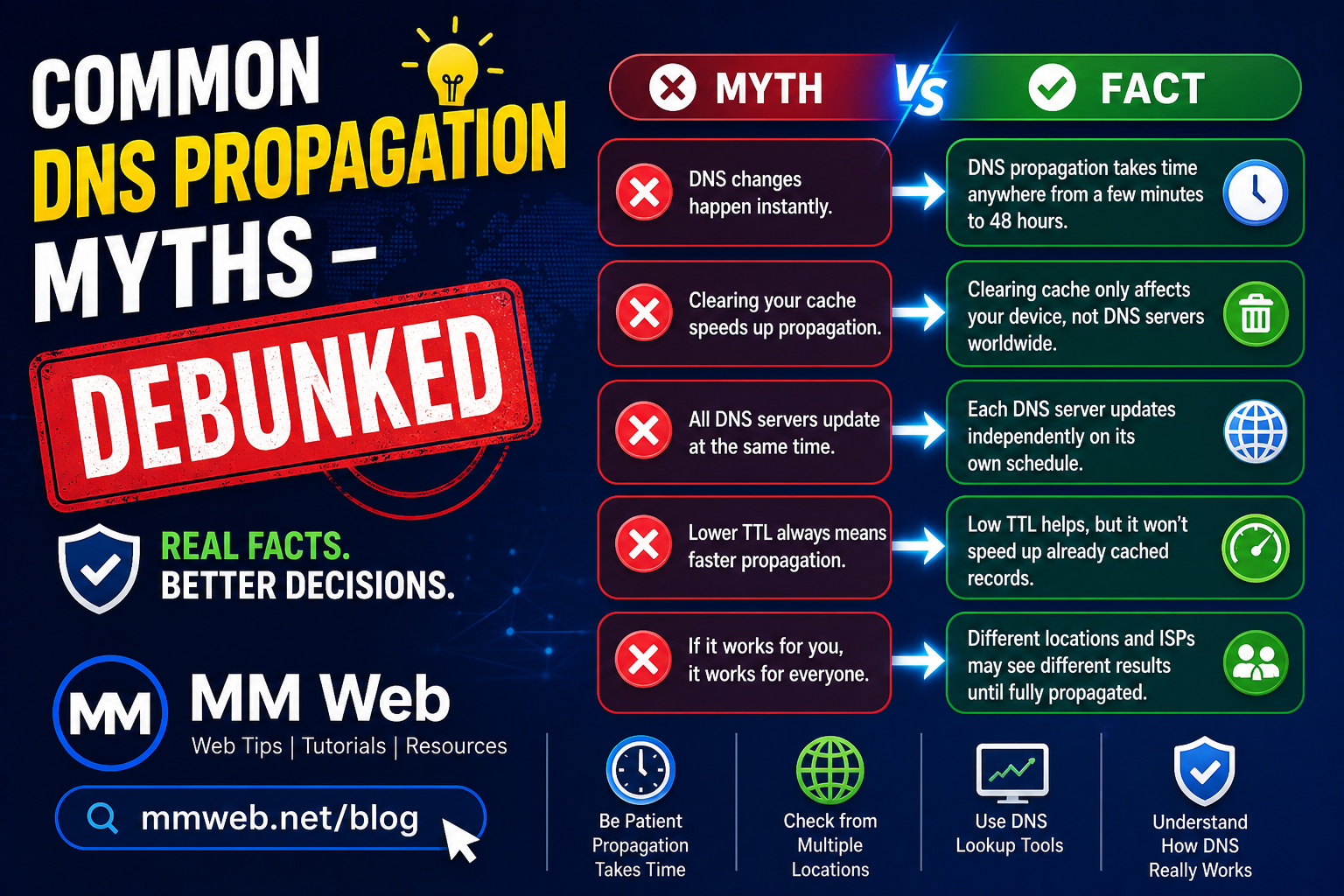
Part 4: Quick Reference — Myth vs. Fact
| Myth | Fact |
|---|---|
| Always takes 24–48 hours | Usually 5–60 minutes with proper TTL |
| Flushing DNS does nothing | Flushing fixes most “I can’t see it” problems |
| Changing settings repeatedly helps | Changes reset TTL and slow propagation |
| All records propagate at same speed | Different TTLs = different speeds |
| Propagation is global and uniform | Always uneven; 95% is “complete enough” |
| Nameserver changes are faster | Nameserver changes are 10× slower |
| Your registrar controls speed | Your DNS host and TTL control speed |
| TTL doesn’t matter after change | Previous TTL determines current cache lifetime |
| Propagation tools are perfect | Tools have blind spots (mobile, regional ISPs) |
| Propagation is always the problem | Typos and config errors are far more common |
Final Verdict
DNS propagation is not the mysterious, uncontrollable force that hosting support makes it out to be.
You have control. You can:
- Set low TTLs in advance
- Verify changes at the source
- Flush local caches
- Test from multiple networks
- Know the difference between propagation and misconfiguration
The “24–48 hours” mantra is a lazy default—a way for providers to avoid troubleshooting real issues. Don’t accept it. Demand better.
Next time someone tells you to “just wait 48 hours,” you now have the knowledge to push back, verify, and fix.
What’s your worst DNS propagation horror story? Did you wait 48 hours only to find a typo? Drop it in the comments.